
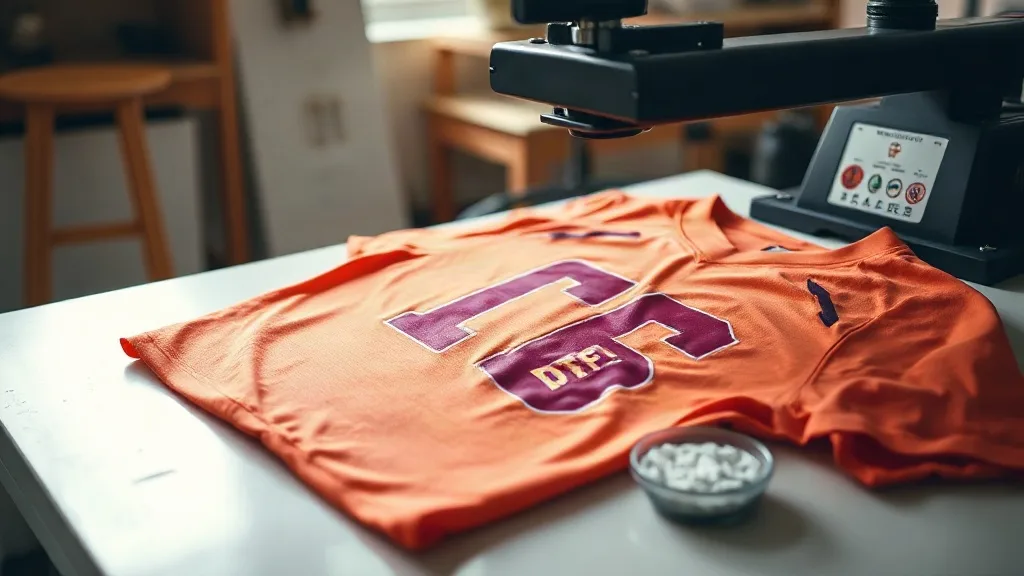
If you have ever pulled a dtf transfers print off a polyester shirt and watched the color look dull or the edges lift after the first wash, you are not alone. Polyester is the fabric that separates reliable DTF printers from the rest. Its smooth, non-porous surface behaves differently from cotton, and the same settings that work perfectly on a 100% cotton tee can leave you with a muddy, cracked print on a synthetic blend. The good news is that polyester is not a problem fabric for DTF. It is simply a fabric that asks you to pay attention to a few specific variables. Once you understand how heat, powder, and pressure interact with synthetic fibers, you can produce vibrant, wash-resistant prints on everything from performance wear to jerseys and tote bags.
Why Polyester Behaves Differently with DTF
Cotton fibers are absorbent and rough at a microscopic level. They grab the adhesive powder and hold onto the ink film, which is why DTF feels so forgiving on cotton. Polyester is the opposite. The fibers are smooth and hydrophobic, meaning they repel water and resist penetration. When you press a DTF transfer onto polyester, the adhesive has to bond to a surface that does not want to grip. On top of that, polyester is sensitive to heat. Exceed its tolerance and the fabric can glaze, shrink, or develop a permanent sheen. The ink film may also stretch differently from the fabric, which is why you sometimes see cracking on stretchy polyester garments even when the print looked perfect coming off the press.
Preparing Polyester Garments Before You Press
Preparation matters more on polyester than on almost any other fabric. A few minutes of prep can save you from a batch of failed prints.
Pre-press to remove moisture and stabilize the fabric
Polyester holds moisture from storage and humidity. Pre-press each garment for five to eight seconds at your intended application temperature. This removes moisture and relaxes the fibers so the transfer can bond evenly. Skipping this step is one of the most common reasons prints fail on synthetic fabrics.
Use a pressing pillow for zippers and seams
Performance wear often has zippers, seams, and thick hems. A pressing pillow raises those areas so the transfer makes full contact with the fabric instead of bridging over the hardware. If you do not have a pillow, reposition the garment so the print area is completely flat.
Check the fabric composition
Not all polyester is created equal. A 100% polyester performance jersey behaves differently from a 50/50 poly-cotton blend or a polyester-spandex mix. Spandex content means more stretch, which changes how you should handle the transfer after pressing. Always check the care label and test on a scrap piece when you are working with a new garment style.
Choosing the Right DTF Film and Powder for Synthetics
The materials you use matter as much as your press settings. For polyester, a quality dtf film with a consistent coating releases cleanly and holds fine detail. Cheaper films can leave residue or transfer unevenly, especially on smooth synthetic surfaces. Powder choice is equally important. A fine-grain adhesive powder melts more evenly and creates a thinner, more flexible bond, which is exactly what stretchy polyester needs. Coarse powder can leave a gritty texture that is more noticeable on smooth synthetic fabrics.
If you are sourcing supplies, look for powder that is specifically formulated for low-temperature application. Some adhesive powders are designed to cure at higher temperatures that can damage polyester. Matching your powder to your fabric is a small decision with a big impact on durability.
Press Settings That Work on Polyester
Temperature, pressure, and time are the three variables you control. On polyester, all three need to be dialed in more carefully than on cotton.
Temperature: stay in the safe zone
Most polyester garments can handle temperatures between 280°F and 300°F (138°C to 149°C). Going above 300°F increases the risk of fabric glazing, shrinkage, and dye migration, where the garment's color bleeds into the print. Start at the lower end of the range and increase only if the adhesive is not bonding properly.
Pressure: medium and even
Too little pressure leaves the adhesive sitting on top of the fabric without penetrating the fibers. Too much pressure flattens the ink film and can cause the print to look dull or feel stiff. Aim for medium pressure that is consistent across the platen. If your press has a pressure gauge, note the setting that works and stick with it for that fabric type.
Time: short and controlled
Most DTF transfers on polyester press in 10 to 15 seconds. Longer dwell times increase the risk of heat damage without improving adhesion. If a print is not sticking after 15 seconds at the correct temperature and pressure, the problem is usually powder quality or film compatibility, not press time.
The Peel Question: Hot vs. Cold
On cotton, hot peel is common and convenient. On polyester, cold peel is often the safer choice. Letting the transfer cool completely before peeling gives the adhesive time to set and reduces the chance of the print stretching or distorting as you pull the film away. If you are printing on a stretchy polyester blend, a cold peel also helps preserve the elasticity of the ink film. That said, some films are designed for hot peel even on synthetics. Follow the film manufacturer's recommendation and test a few pieces before committing to a full run.
Avoiding Dye Migration on Colored Polyester
Dye migration is a polyester-specific problem that frustrates many printers. Dark or brightly colored polyester garments can release dye when heated, and that dye can migrate into the white ink layer of your transfer, turning it pink, gray, or yellow. The fix is a low-bleed film or a dye-blocking underlayer. If you frequently print on red, navy, or black polyester, invest in low-bleed dtf transfers film. It costs a little more, but it saves you from ruined prints and unhappy customers. You can also lower your press temperature slightly and shorten dwell time to reduce the risk, though low-bleed film remains the most reliable solution.
Wash Testing: The Only Proof That Matters
Every printer has a story about a print that looked perfect until it went through the wash. Polyester is particularly unforgiving in this regard because its smooth surface gives adhesive less to hold onto. Before you deliver a batch of polyester garments, run a wash test. Wash one sample inside out in cold water with a mild detergent, then tumble dry on low or hang dry. Check the print for lifting edges, cracking, or fading. A print that survives five wash cycles is a print you can stand behind. Keep a log of your settings for each fabric and film combination so you can repeat success instead of guessing.
If you are looking for reliable supplies and want to see what quality dtf transfers near me should look like, start with a small test order and evaluate the film, powder, and finished print before scaling up.
Common Polyester Printing Mistakes to Avoid
- Pressing too hot in an attempt to make the print stick faster. This causes glazing and dye migration.
- Skipping the pre-press step, which leaves moisture trapped under the transfer.
- Using coarse powder on smooth synthetic fabrics, which creates a gritty feel.
- Peeling hot on stretchy polyester and distorting the print.
- Ignoring fabric composition and using the same settings for every garment.
Each of these mistakes is easy to fix once you know to look for it. The key is to treat polyester as its own category rather than an afterthought to cotton printing.
Frequently Asked Questions
Can you use DTF transfers on 100% polyester?
Yes. DTF works well on polyester as long as you use the right temperature range, typically 280°F to 300°F, and choose a low-bleed film for dark or brightly colored garments. Cold peel and a proper pre-press help ensure a durable bond.
Why does my DTF print look dull on polyester?
Dull prints usually come from too much pressure or too high a temperature. Both flatten the ink film and reduce its vibrancy. Check your press settings and make sure you are not exceeding the fabric's heat tolerance.
How do I stop dye migration on colored polyester?
Use a low-bleed DTF film designed to block dye transfer. You can also lower your press temperature slightly and shorten dwell time, but low-bleed film is the most reliable prevention method.
Should I hot peel or cold peel DTF on polyester?
Cold peel is generally safer on polyester, especially on stretchy blends, because it lets the adhesive set fully and reduces the risk of distortion. Always follow the film manufacturer's recommendation for the specific product you are using.
How many washes should a DTF print on polyester survive?
A properly applied DTF print on polyester should survive at least 25 to 30 wash cycles when washed inside out in cold water and dried on low heat. Testing a sample before delivering a batch is the best way to confirm durability.