
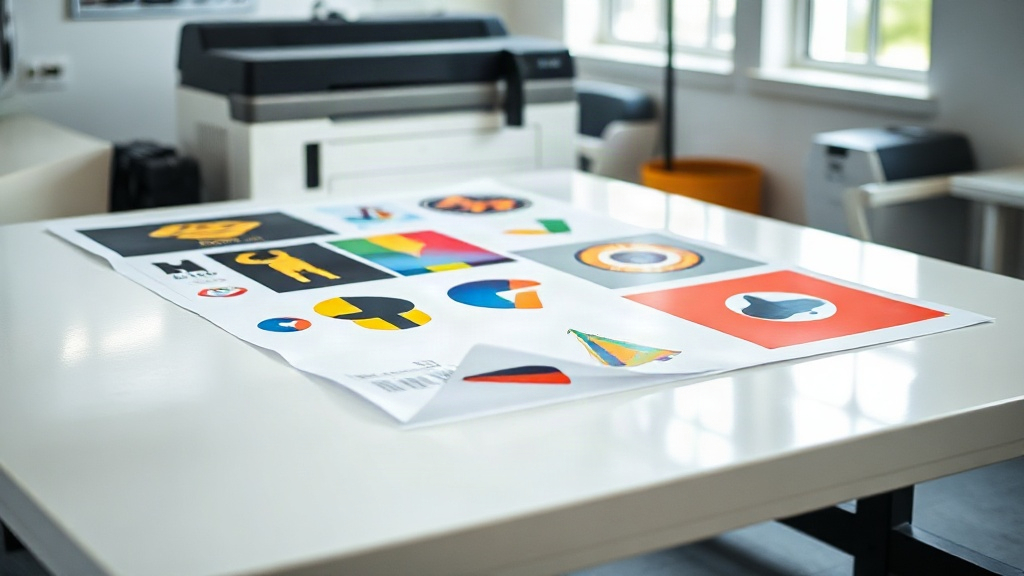
If you're in the custom apparel business, you've likely heard about DTF printing. This technology has taken the industry by storm, offering vibrant colors, durability, and versatility on various fabrics. But as your order volume grows, you might find yourself spending hours preparing individual designs. That's where the DTF gangsheet comes in. A gangsheet is a single film sheet containing multiple designs arranged efficiently, allowing you to print many transfers in one go. It's a game-changer for productivity and cost savings. In this guide, we'll dive deep into gangsheets, from their benefits to step-by-step creation, and share insider tips to help you master this essential workflow.
What Exactly Is a DTF Gangsheet?
A DTF gangsheet is a large sheet of DTF film that holds multiple designs, typically arranged to maximize space and minimize waste. Instead of printing each design on a separate piece of film, you consolidate them into one sheet. This approach is similar to gang printing in traditional offset printing, where multiple jobs are combined on a single press run. For DTF, the gangsheet is printed using a DTF printer, then powdered with hot-melt adhesive, cured, and can be stored for later use. When you need a particular design, you simply cut it out and press it onto the garment. The gangsheet method is particularly popular among small to medium-sized businesses that handle a variety of designs, such as custom t-shirts, tote bags, and promotional items.
Why Use a DTF Gangsheet? Key Benefits
Adopting gangsheets in your DTF printing process offers several compelling advantages. Let's explore the main benefits:
- Time Efficiency: Printing multiple designs at once drastically reduces the time spent loading film and operating the printer. You can prepare a week's worth of transfers in a single session.
- Cost Savings: By maximizing film usage, you reduce waste and lower your cost per transfer. DTF film and ink are consumables, so every square inch counts.
- Consistency: When you print designs together, they undergo the same printing conditions, resulting in consistent color and quality across the board.
- Organization: Gangsheets keep your designs organized. You can label each sheet with the design names and quantities, making inventory management a breeze.
- Scalability: As your business grows, gangsheets allow you to scale production without proportional increases in labor.
These benefits make gangsheets an indispensable tool for anyone serious about DTF printing.
How to Create a DTF Gangsheet: Step-by-Step
Creating a gangsheet might seem daunting at first, but with the right approach, it becomes second nature. Here's a detailed guide to help you through the process.
Step 1: Gather and Prepare Your Designs
Start by collecting all the designs you want to include. Ensure they are high-resolution (300 DPI is recommended) and in PNG format with transparent backgrounds. If you have vector files, even better. Resize each design to the desired print dimensions. Remember that DTF prints can be scaled without losing quality if your source files are vector or high-res raster. Keep in mind the fabric color; DTF prints are opaque, so you don't need to worry about white underbase for dark garments, but you might need to adjust colors for light fabrics.
Step 2: Choose the Right Gangsheet Size
DTF film comes in various widths, commonly 13 inches, 17 inches, 24 inches, and larger for industrial printers. The length can be customized, often up to several feet. Consider your printer's maximum print width and the number of designs you need. A larger sheet means fewer setups but requires more space and handling. For beginners, starting with a 13x19 inch sheet is manageable. As you gain experience, you can move to roll-based systems for continuous printing.
Step 3: Arrange Designs Efficiently
This is where the magic happens. Use a graphic design software like Adobe Photoshop, Illustrator, or dedicated RIP software that supports gangsheet creation. Arrange your designs on a canvas that matches your film size. Rotate and nest designs to fill gaps. Leave a small gap (about 0.1 to 0.2 inches) between designs to prevent color bleeding and to make cutting easier. Also, include registration marks or crop marks if your cutting machine requires them. Some software can automatically nest designs for optimal yield.
Step 4: Print, Powder, and Cure
Once your layout is ready, send it to your DTF printer. Ensure your printer is loaded with DTF film (matte side up) and DTF ink. After printing, while the ink is still wet, apply hot-melt adhesive powder evenly over the design. Shake off excess powder, then cure the film in a heat press or oven according to the powder manufacturer's instructions (typically 320°F for 2-3 minutes). Allow the sheet to cool before storing or using.
Step 5: Store and Use
Store your gangsheets in a cool, dry place away from direct sunlight. They can last for several months if properly stored. When you need a design, cut it out with scissors or a cutting machine, peel off the backing, and press onto your garment with a heat press (usually 320°F for 15-20 seconds with medium pressure). Peel the film hot or cold depending on the film type.
Pro Tips for Maximizing Your DTF Gangsheets
To get the most out of your gangsheets, consider these expert tips:
- Use Software with Nesting: Invest in RIP software that offers automatic nesting. It can save you hours and reduce material waste.
- Group by Color Profile: If you have designs with similar color profiles, group them together to maintain consistency and reduce ink changes.
- Test Print First: Before committing to a full gangsheet, do a small test print to check colors and alignment.
- Label Clearly: Write the design name and quantity on the back of the film or on a separate log to avoid confusion.
- Keep a Template: Create a template with your most common designs and sizes for quick reuse.
Common Mistakes to Avoid with DTF Gangsheets
Even seasoned printers make mistakes. Here are pitfalls to watch out for:
- Overcrowding: Cramming too many designs can lead to cutting errors and ink smudging. Leave adequate space.
- Inconsistent Powdering: Uneven powder application can cause poor adhesion. Use a powder shaker for even coverage.
- Incorrect Curing: Under-curing leads to wash-off; over-curing can make the film brittle. Follow the powder's guidelines.
- Ignoring Film Orientation: Printing on the wrong side of the film will ruin the sheet. Always print on the matte side.
Frequently Asked Questions About DTF Gangsheets
Can I create a gangsheet with different designs for different fabric colors?
Absolutely. DTF prints are opaque and include a white layer, so they work on both light and dark fabrics. However, you might need to adjust the colors in your design to ensure they pop on the intended fabric. It's a good practice to group designs for similar fabric colors together to streamline pressing.
How long can I store a DTF gangsheet before using it?
When stored properly in a cool, dry place away from sunlight, DTF gangsheets can last up to 6 months or more. The adhesive powder can absorb moisture over time, so sealing them in a plastic bag with a desiccant pack is recommended for longer storage.
What is the maximum size of a DTF gangsheet I can print?
The maximum size depends on your printer's capabilities. Common DTF printers have a maximum width of 13, 17, or 24 inches. The length can be continuous if you're using a roll-fed printer. Check your printer's specifications for exact limits.
Do I need special software to create a gangsheet?
While you can use standard graphic design software like Photoshop or Illustrator, dedicated RIP software (e.g., Cadlink, AcroRIP) offers advanced features like automatic nesting and color management, making the process much more efficient. For beginners, starting with basic software is fine, but investing in RIP software pays off as you scale.
How do I price products made from gangsheets?
Pricing should consider material costs (film, ink, powder), labor, and overhead. Calculate the cost per square inch of your gangsheet and then determine the area of each design. Add a profit margin. Many printers charge based on design size, with smaller designs costing less. Using gangsheets reduces your cost per design, allowing competitive pricing.
Mastering the DTF gangsheet workflow is a surefire way to elevate your printing business. It saves time, reduces costs, and ensures consistent quality. Whether you're a hobbyist or a commercial printer, integrating gangsheets into your routine will pay off. Start small, experiment with layouts, and soon you'll wonder how you ever managed without them. Happy printing!